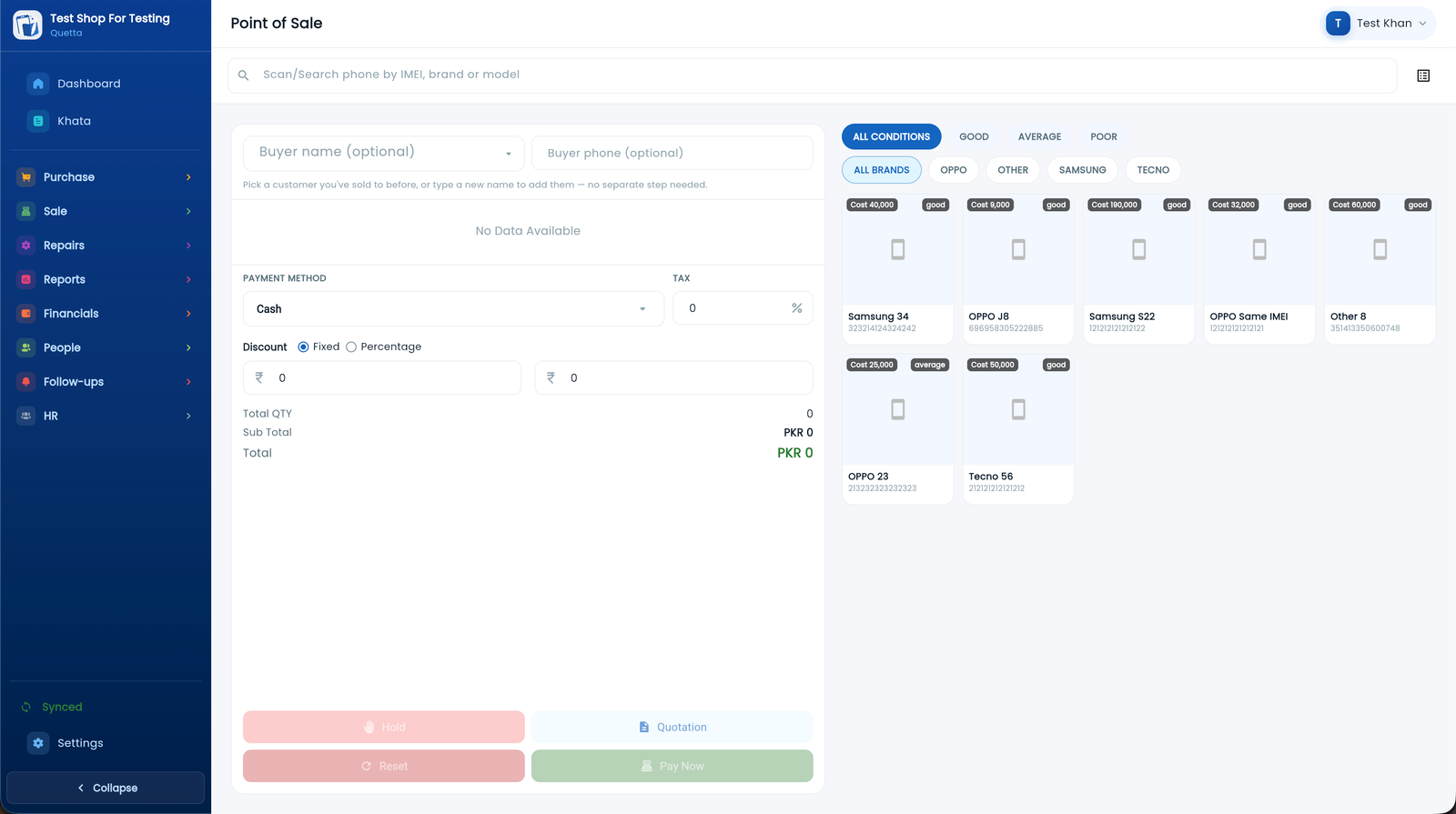
Complete POS Register
Multi-item basket, thermal bill printing, barcode and quick IMEI lookup.
100% Offline-First
Never halt counter sales during power outages or network interruptions.
Bilingual Urdu & English
Switch between مکمل اردو and English instantly across all screens.
Automatic Cloud Backup
Secure encrypted sync across phone, shop computer, and home laptop.
Explore The Software In Action
Click through each core module below to see how MobiKhata transforms daily mobile shop routines into an automated, profitable operation.
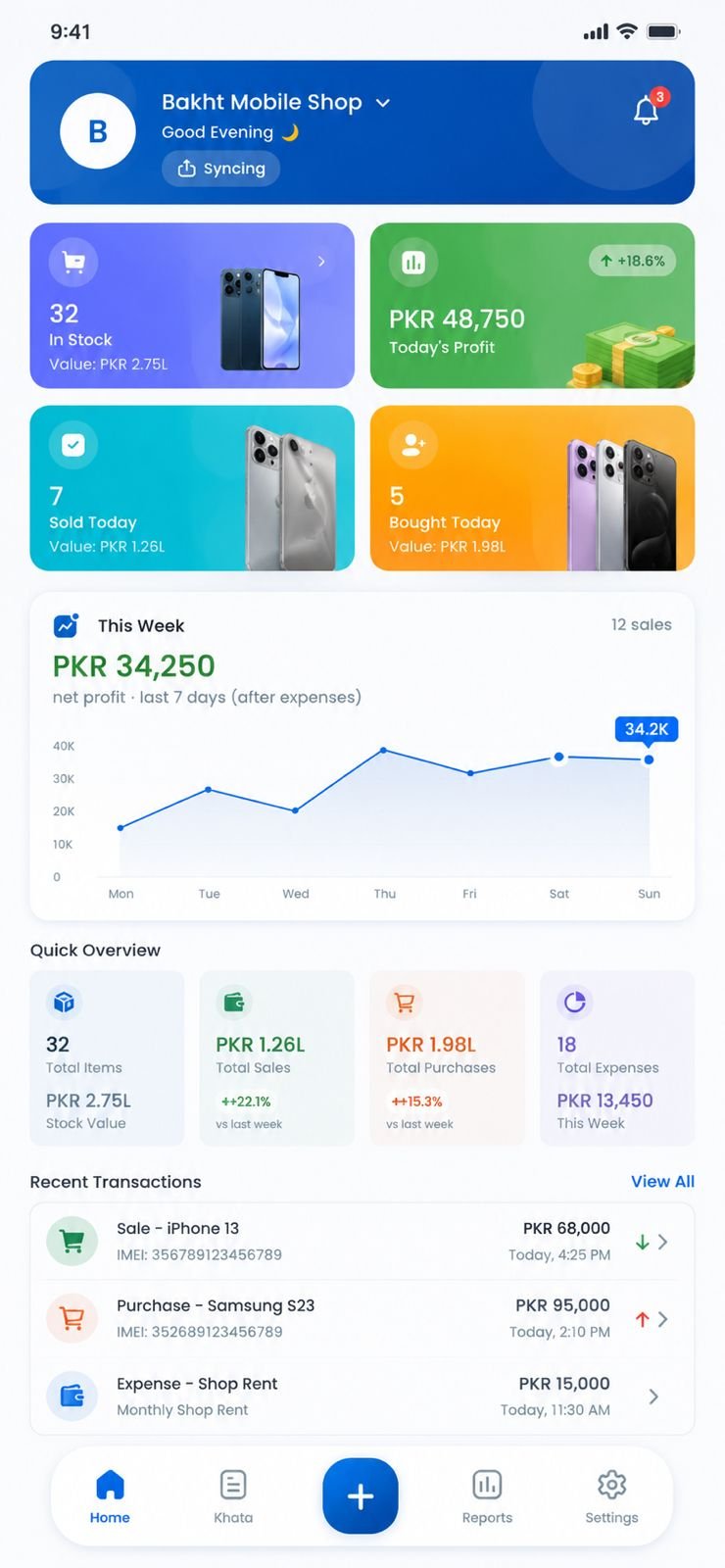
One App. Every Device. Always in Sync.
Whether you prefer your smartphone on the sales counter, a dedicated desktop computer in the shop, or opening your account from any web browser — MobiKhata works everywhere.
Mobile App
AndroidThe ultimate shop-floor companion. Use your phone's camera to scan barcodes and IMEIs, take customer CNIC photos, record sales on the spot, and print thermal slips over Bluetooth.
- Fast barcode & IMEI camera scanner
- Bluetooth thermal receipt printer
- Full offline database on device
Desktop Suite
Windows & MacEngineered for heavy-duty retail counters and back-office management. Lightning-fast keyboard shortcuts, multi-column data views, USB receipt printing, and deep financial reporting.
- High-speed keyboard POS workflow
- USB/LAN receipt printer & cash drawer
- Bulk CSV phone import & Excel export
Cloud Web App
No Install NeededInstant access from any laptop, Chromebook, tablet or office PC anywhere in the world. Just open your browser, sign in, and your entire shop is immediately at your fingertips.
- Zero installation, instant updates
- Accessible from Chrome, Edge, Safari, Firefox
- Safe real-time sync with mobile & desktop
Everything Your Mobile Shop Needs
Built from the ground up for Pakistan's mobile markets. Every tool you need to buy, sell, repair, and manage without missing a single rupee.
POS Fast Checkout
A modern register with multi-item cart, quick barcode/IMEI lookup, cash/card/qist splits, and thermal slips.
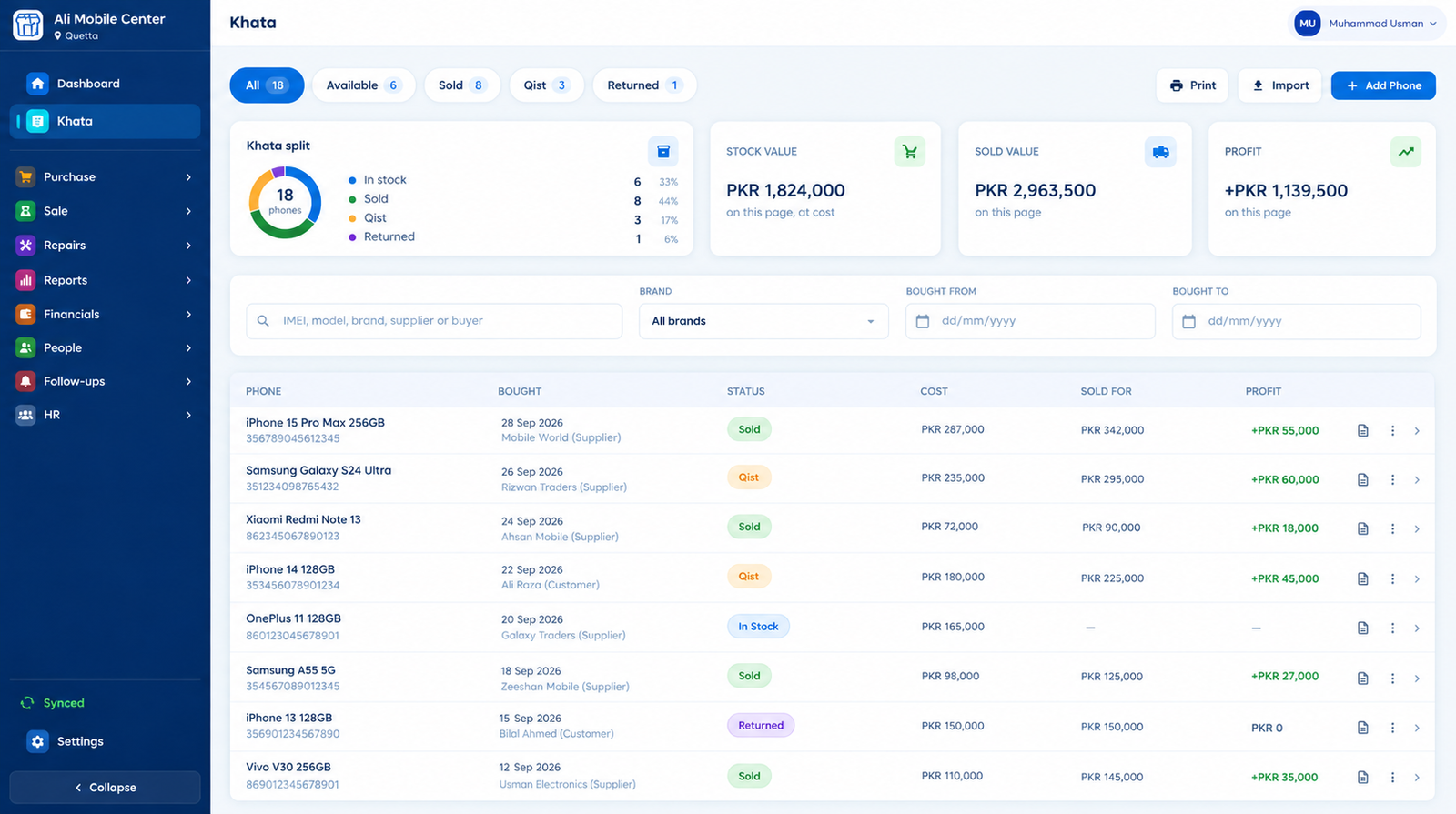
IMEI & Phone Khata
Track every phone with dual IMEI, condition (Box Pack, Kit, Used), storage, color, and supplier warranty.
Qist & Installments
Custom installment plans, down payments, automated interest/profit rates, and overdue balance alerts.
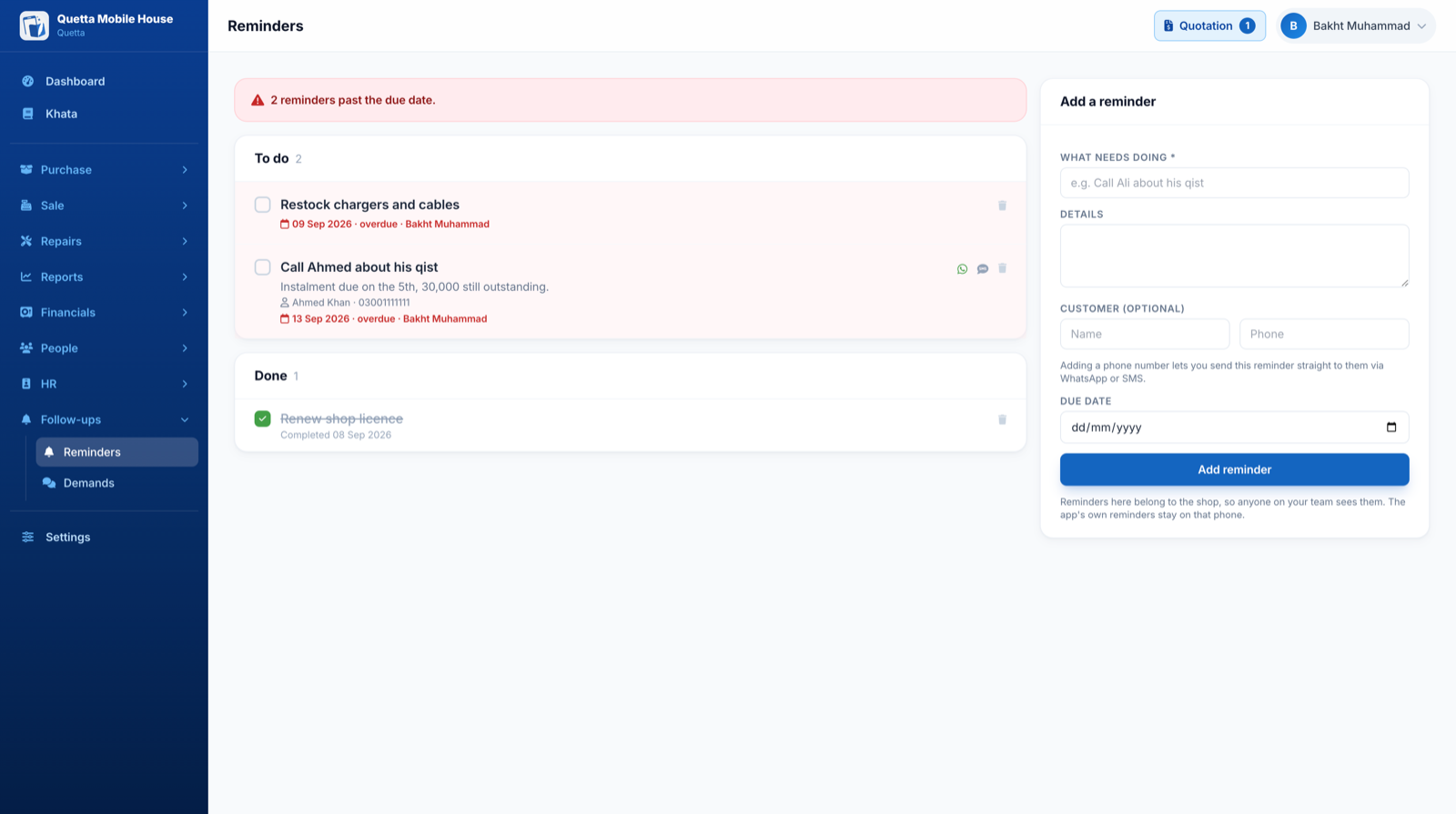
WhatsApp Reminders
Chase outstanding qist and customer credit with 1-click pre-formatted WhatsApp reminders.
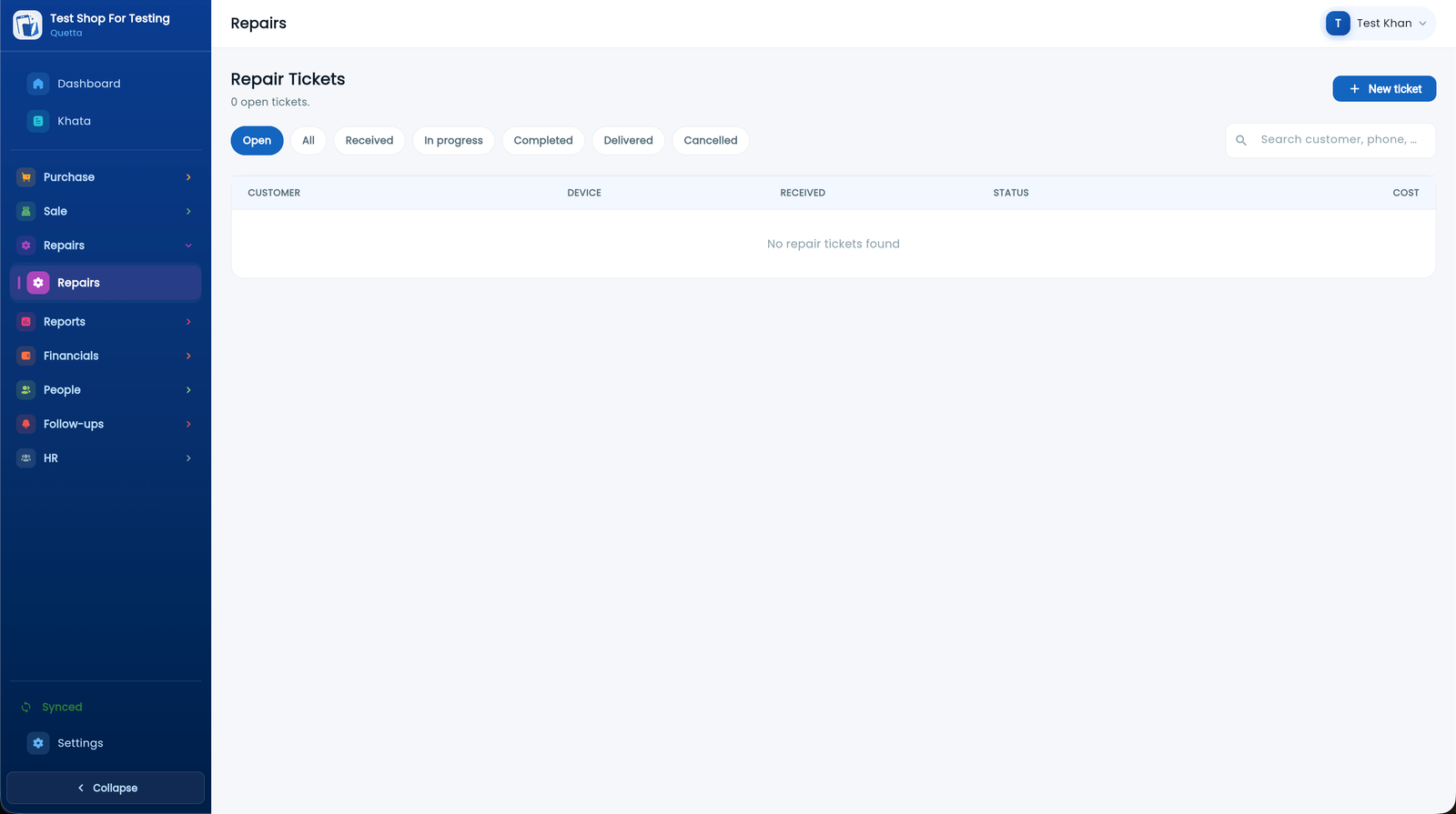
Repairs & Service
Log repair job tickets against customers with IMEI, faults, spare parts, technician notes, and delivery dates.
Returns & Reversals
Return stock to suppliers or handle customer returns — inventory and financial ledgers balance automatically.
Instant Quotations
Generate professional quotes while browsing stock, then print or WhatsApp them in seconds.
Double-Entry Ledger
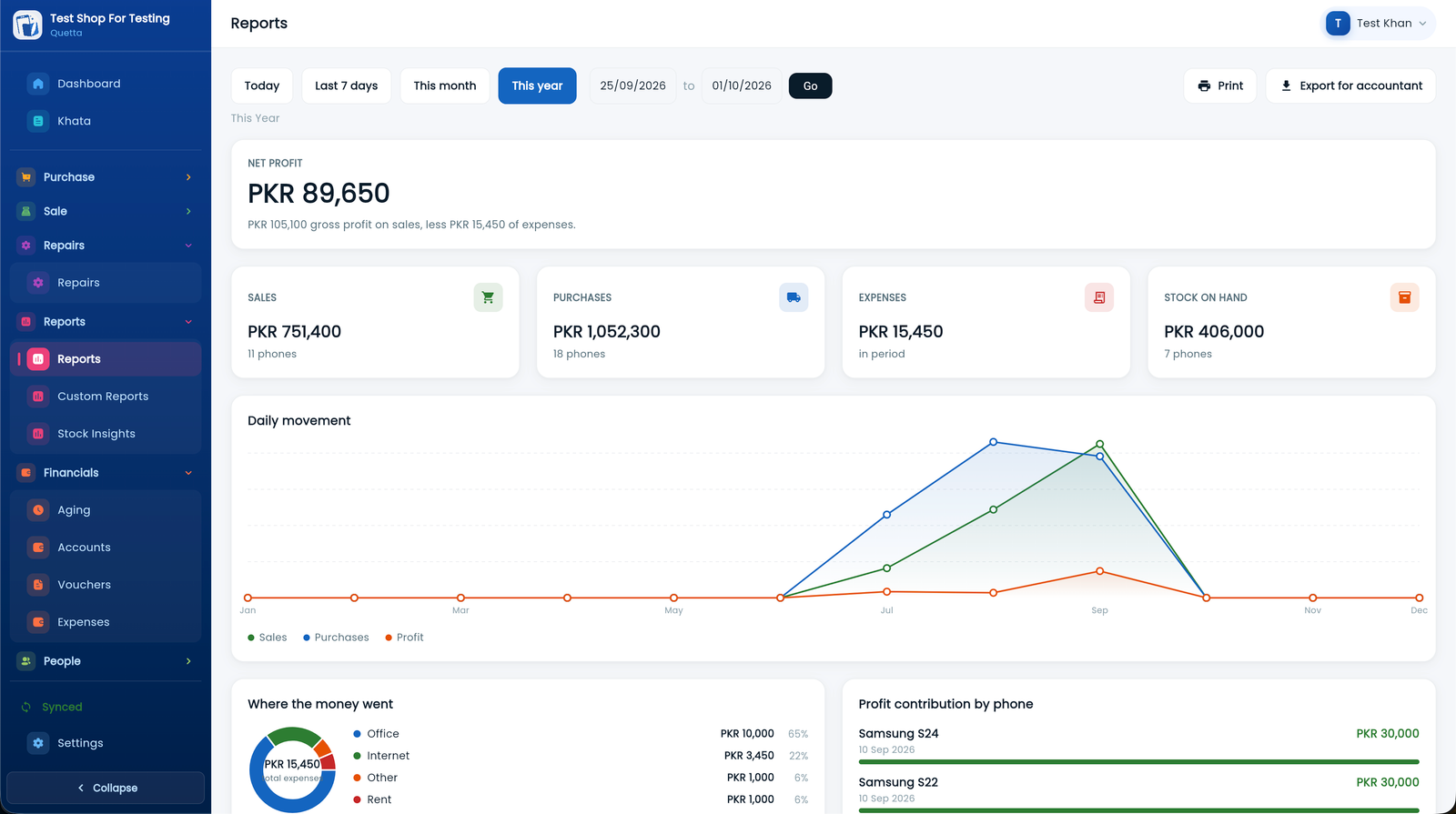
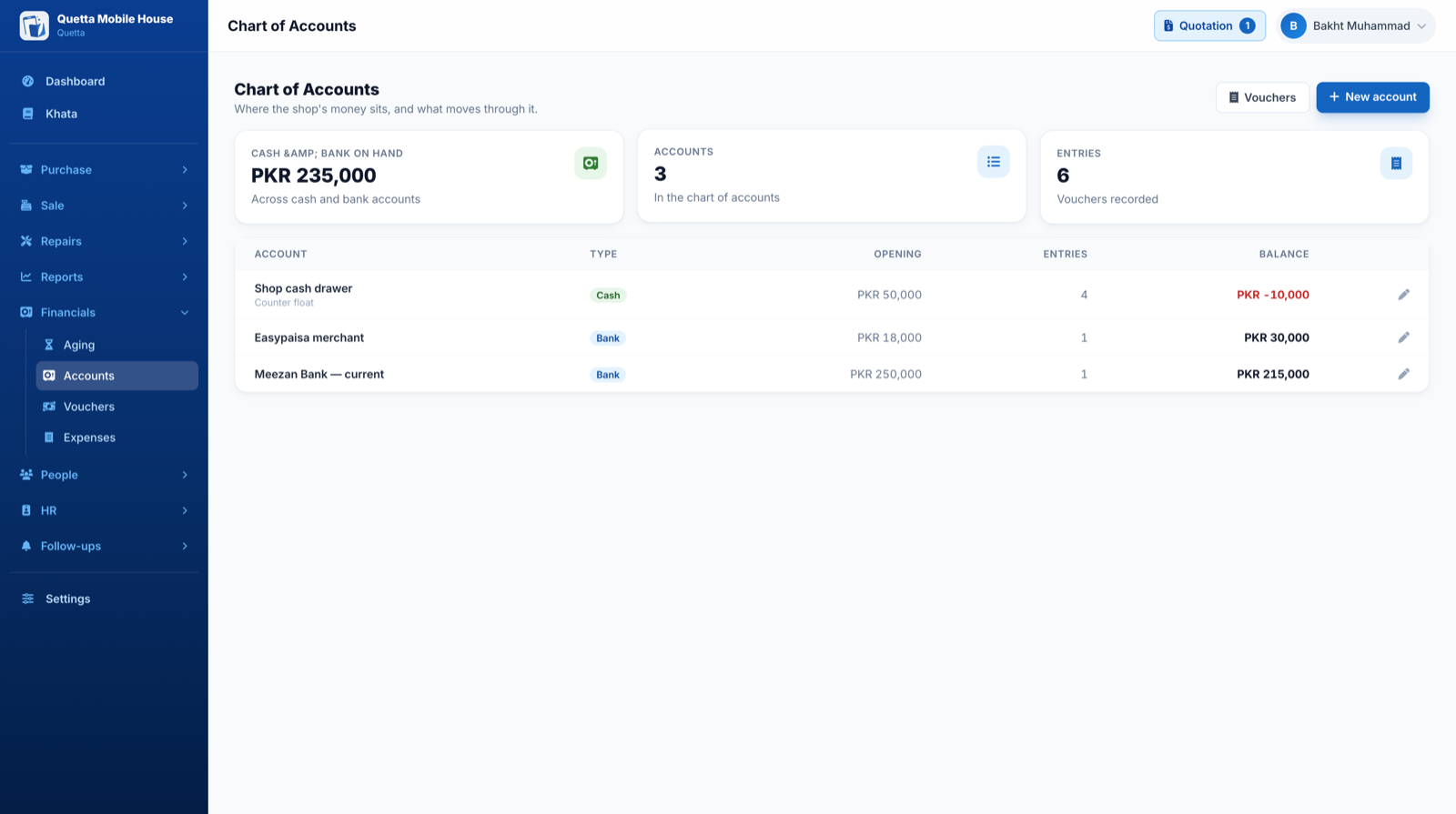
Real accounting — Chart of Accounts, Cash/Bank Vouchers (RV, PV, JV), and verified balance sheets.
Staff Roles & Security
Hide purchase costs from counter cashiers, set granular permissions, and track employee sales.
Aging & Stock Analytics
Identify slow-moving dead inventory, best-selling brands, and payables aging (0-30, 31-60, 90+ days).
Shop Expense Manager
Record shop rent, electricity, tea, staff lunch, and salaries to see your real net profit.
100% Offline-First
Full functionality without an active internet connection. All data syncs automatically upon reconnect.
The Old Way vs. The MobiKhata Standard
See how 1,500+ mobile shop owners across Pakistan replaced messy bahi-khatas, handwritten slips, and generic grocery software with automated profitability.
Paper Khatas & Generic POS
Vulnerable Paper Registers
Paper registers get lost, torn, damaged by tea or rain, or stolen. When a notebook vanishes, your entire credit history and balances are lost forever.
Exposed Purchase Costs
Counter cashiers and helpers can see what you paid wholesale for every phone, risking confidential profit margins being leaked to walk-in customers.
Forgotten Slips & Bad Debts
Due dates are scribbled on random desk slips. Without timely reminders, customers delay payments for months, locking up your critical working capital.
15-Minute Paper Search
When a customer brings a phone back with a fault, you have to dig through dusty boxes of paper receipts to verify purchase date and return terms.
Generic Grocery POS Software
Generic retail software cannot track dual IMEIs, box pack vs. kit condition, battery health, PTA approval status, or storage variants.
Frozen Systems During Outages
Web-only billing software freezes completely when the internet cuts out or during market load-shedding, halting sales at peak counter rush hours.
The MobiKhata Ecosystem
Continuous Encrypted Cloud Sync
Every transaction and customer ledger is automatically backed up in real time. If a device breaks, sign in on another and your entire shop is restored.
Role-Based PIN Security
Staff can look up stock, make sales, and print thermal slips, while wholesale buy costs and net shop profits stay 100% hidden behind your master PIN.
Automated 1-Click WhatsApp Demands
Smart alerts highlight overdue accounts. Send professional WhatsApp payment reminders with live remaining balances, itemized breakdown, and shop logo.
Instant 1-Second Barcode Scan
Scan any IMEI barcode using your mobile camera or USB scanner to instantly reveal supplier purchase date, customer warranty terms, and margin history.
Tailored for Mobile Dealers
Native smartphone fields: dual IMEIs, Box Pack, Kit, Used condition, RAM/storage configurations, supplier warranty, and official PTA tax status.
100% Offline-First POS Engine
Ring up sales, scan IMEIs, and print Bluetooth thermal receipts with zero internet connection. All records auto-sync to the cloud once reconnected.
Khata & Data Security
Paper registers get lost, torn, damaged by tea or rain, or stolen. When a notebook vanishes, your entire credit history and balances are lost forever.
Every transaction and customer ledger is automatically backed up in real time. If a device breaks, sign in on another and your entire shop is restored.
Wholesale Cost & Staff Privacy
Counter cashiers and helpers can see what you paid wholesale for every phone, risking confidential profit margins being leaked to walk-in customers.
Staff can look up stock, make sales, and print thermal slips, while wholesale buy costs and net shop profits stay 100% hidden behind your master PIN.
Installments & Qist Recovery
Due dates are scribbled on random desk slips. Without timely reminders, customers delay payments for months, locking up your critical working capital.
Smart alerts highlight overdue accounts. Send professional WhatsApp payment reminders with live remaining balances, itemized breakdown, and shop logo.
Warranty & IMEI Lookups
When a customer brings a phone back with a fault, you have to dig through dusty boxes of paper receipts to verify purchase date and return terms.
Scan any IMEI barcode using your mobile camera or USB scanner to instantly reveal supplier purchase date, customer warranty terms, and margin history.
Purpose-Built Mobile Specs
Generic retail software cannot track dual IMEIs, box pack vs. kit condition, battery health, PTA approval status, or storage variants.
Native smartphone fields: dual IMEIs, Box Pack, Kit, Used condition, RAM/storage configurations, supplier warranty, and official PTA tax status.
Power Cuts & Load-Shedding
Web-only billing software freezes completely when the internet cuts out or during market load-shedding, halting sales at peak counter rush hours.
Ring up sales, scan IMEIs, and print Bluetooth thermal receipts with zero internet connection. All records auto-sync to the cloud once reconnected.
Learn How Easy It Is To Use
Watch step-by-step Urdu video guides on adding phones, managing POS sales, issuing receipts, and recovering installments.
How to Add Expenses in MobiKhata
How to Add Stock in MobiKhata
MobiKhata App Review
Register Your Shop
What Mobile Dealers Say Across Pakistan
Real experiences from store owners in Quetta, Lahore, Karachi, Rawalpindi, and Peshawar.
"Pehle sab register par likhta tha. Ab sab phone ka hisaab app mein hai — profit turant pata chal jata hai. Qist reminder se paisa waqt par wapas aata hai."
"POS register aur thermal printing bohot fast hai. Bheed wale waqt counter par 5 second mein slip nikal aati hai aur customer khush ho kar jata hai."
"Sub se behtareen cheez ye hai ke cashier ko buy price nahi dikhti. Aur load-shedding mein offline bhi bina rukawat ke chalta hai. 10/10!"
Fair Pricing For Every Business
Start 100% free with core features, or unlock our complete ad-free multi-user powerhouse.
Free Forever
Everything you need to digitize your counter, track phones by IMEI, and record daily profit.
- Unlimited phones & khata records
- Point of Sale (POS) checkout
- Qist & installment ledger
- 100% offline-first engine
- Bilingual Urdu & English interface
- Contains sponsor ads
Premium Pro
For serious shop owners and multi-counter stores who need ad-free speed and advanced staff controls.
- 100% Ad-Free Clean Interface
- Multiple Staff & Cashiers (Hide buy prices)
- Priority 24/7 WhatsApp VIP Support
- Payables Aging & Advanced Reports
- Double-Entry Accounting & Vouchers
- Automatic WhatsApp Reminders
Frequently Asked Questions
Everything you need to know about setting up and running MobiKhata.

Ready to Upgrade Your Mobile Shop?
Join thousands of smart phone dealers across Pakistan. Download MobiKhata now on your phone, laptop, or launch the web app instantly.